NexaSoft homeMenu
Home / Products / Nexify POS demo
Nexify POS demo

Pick a role and try Nexify POS.

Choose how you would use it at your counter. The full sandbox is coming soon. The billing preview runs in your browser today, with sample data.

Sample data onlyNo sign-upRuns in your browser
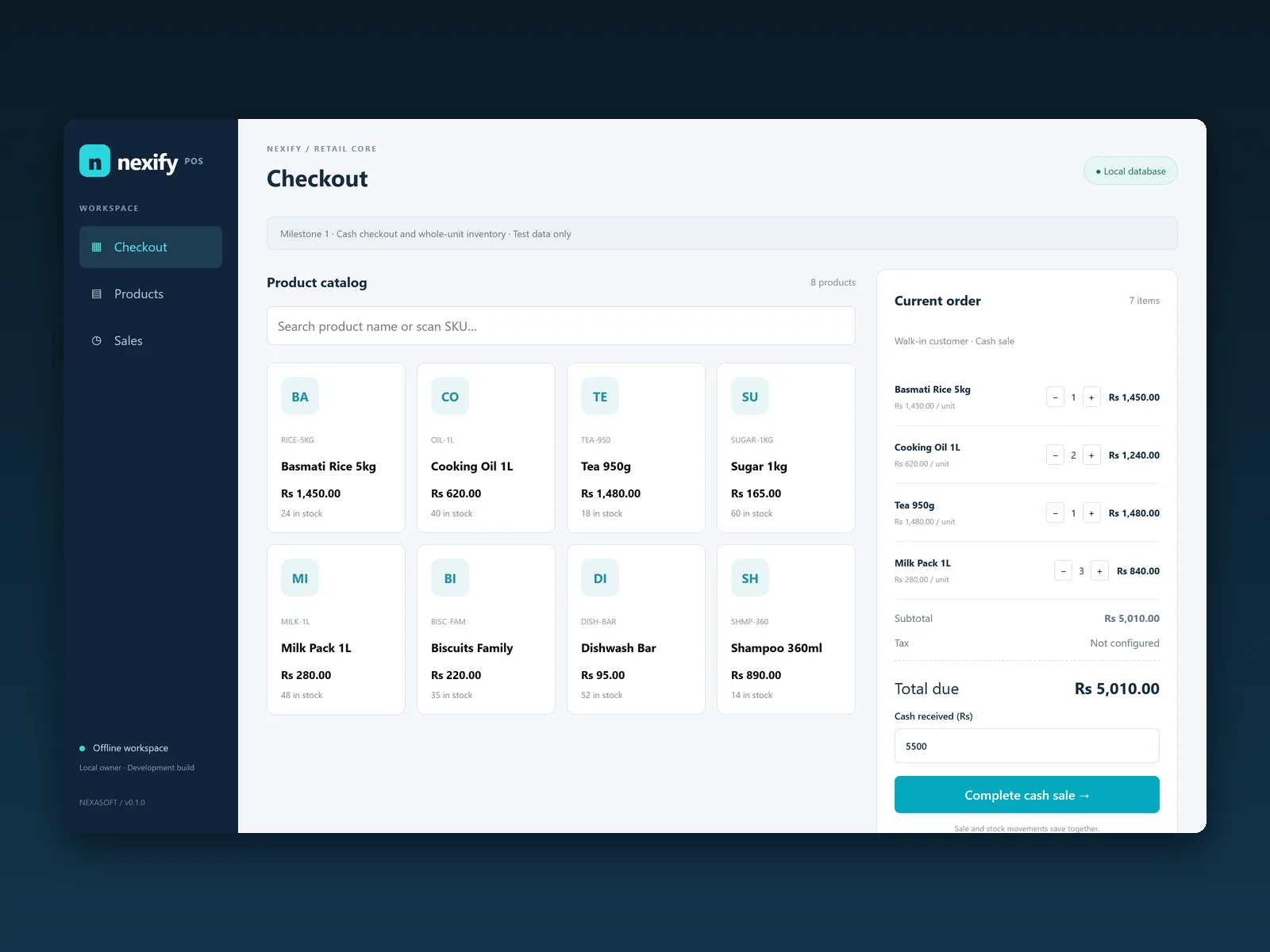
The Nexify POS Offline checkout screen: a product catalog and a current order with sample items in rupees
Nexify POS Offline checkout, milestone 1 development build. Sample data.
Choose a role

Two ways into the demo

Each role opens the same sample shop from a different side of the counter.

Coming soon

Cashier

Work the counter: ring up items, fix a mistake and complete the sale.

What you will be able to try

  • Add items to a sale and change quantities
  • Remove an item or clear the bill
  • Charge the sale and see the summary
Full sandbox: coming soonTry the billing preview
Coming soon

Store Manager

Keep an eye on the shop: stock levels and every sale in the session.

What you will be able to try

  • Check stock levels as sales go through
  • Review the sales history for the session
  • Reset the sample data and start again
Full sandbox: coming soonTry the billing preview
Available now

The billing preview

Ring up a sale, then watch the stock and the sales history change. It runs in your browser with sample data and resets whenever you like.

  1. BillingTap items to build a sale and charge it.
  2. InventoryStock drops as each sale goes through.
  3. Sales HistoryEvery sale in the session, with the total.
When the sandbox opens

How the full sandbox will work

  • Sample data only, kept apart from any real business
  • Every session starts fresh and can be reset
  • No sign-up, and no real accounts or production credentials

Want a walkthrough with your own items?

We can show Nexify POS Offline with products like yours on a short call.