NexaSoft homeMenu
Home / Products / Nexify POS Offline
Flagship product · Desktop

Nexify POS Offline. Billing and stock that keep working without internet.

A desktop point-of-sale for shops, marts, cafés and pharmacies. Billing, stock and sales history run on your counter computer, with or without a connection.

Desktop applicationWorks offlineBilling, stock, sales history
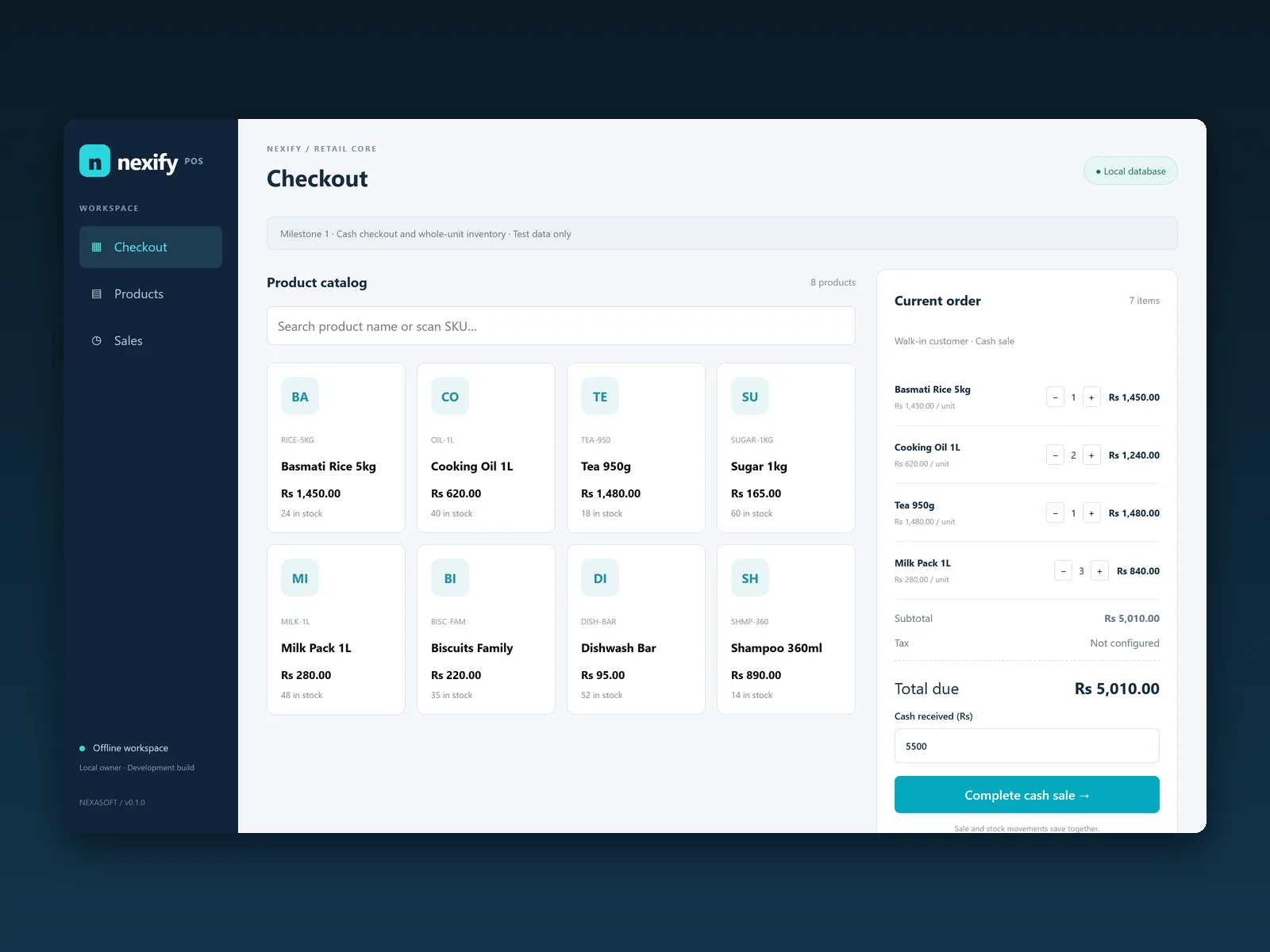
The Nexify POS Offline checkout screen: a product catalog and a current order with sample items in rupees
Nexify POS Offline checkout, from the milestone 1 development build. Sample data. The demo below runs in your browser.
Product tour

The Nexify POS workflow, screen by screen

Captured from the interactive demo with sample data. Use the tabs or the arrow keys.

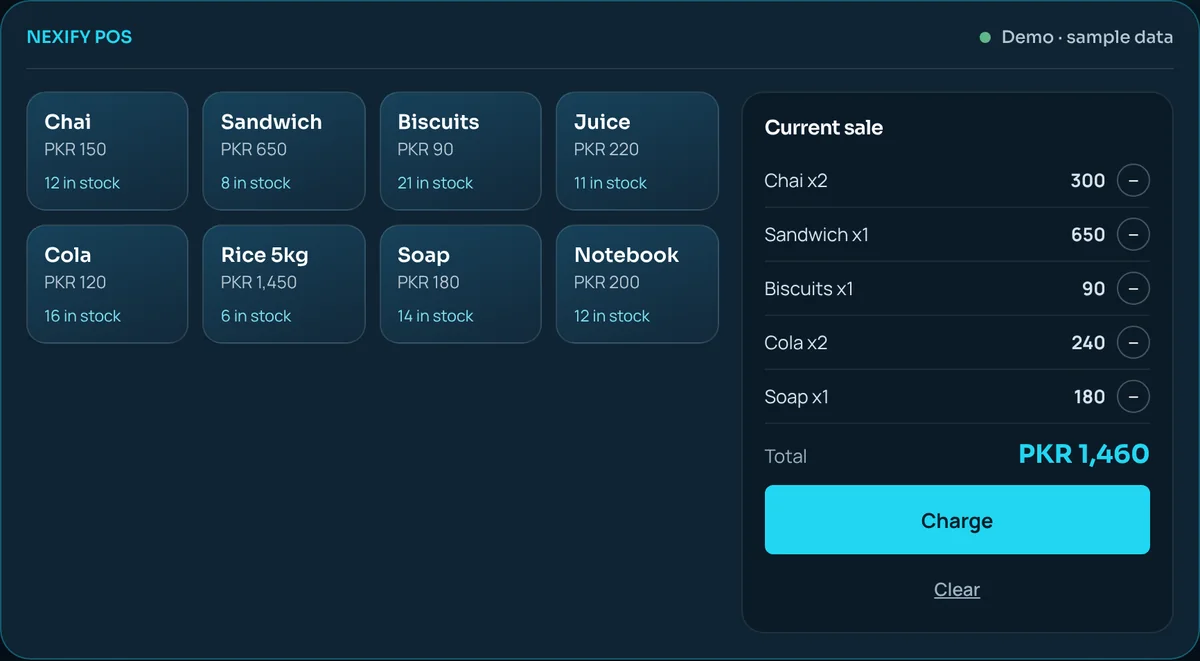
Billing screen: a sale with five items and the total, ready to charge
Try it

Ring up a sale. See stock and the sales list change

An interactive web demo of the Nexify POS workflow, with sample data. Nexify POS Offline itself is installed on your counter computer.

The interactive demo needs JavaScript, which is turned off or blocked in this browser. The screens shown on this page are captured from the demo, and you can request a live demo below.

Nexify POS billing screen from the web demo: a sale with five items and the total, ready to charge
Billing screen captured from the web demo, with sample data in PKR. Turn on JavaScript to try the interactive version.
NEXIFY POSDemo · sample data in PKR

Current sale

    TotalPKR 0
    Capabilities

    What Nexify POS Offline covers

    Three essentials, done well. Exact screens and options are shown in your demo.

    Billing

    Ring up items at the counter and produce the bill, without handwriting or a calculator.

    • Quick entry at the counter
    • A record of every sale
    Nexify POS billing screen from the web demo, sample data

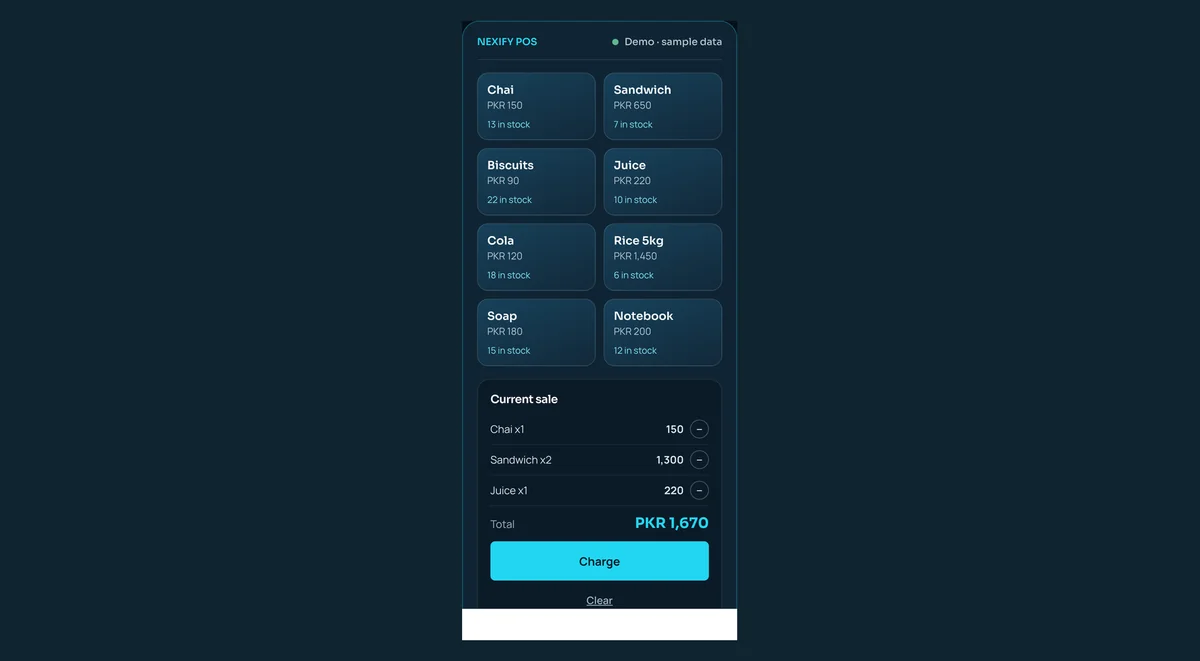
    Nexify POS web demo, sample data

    Inventory

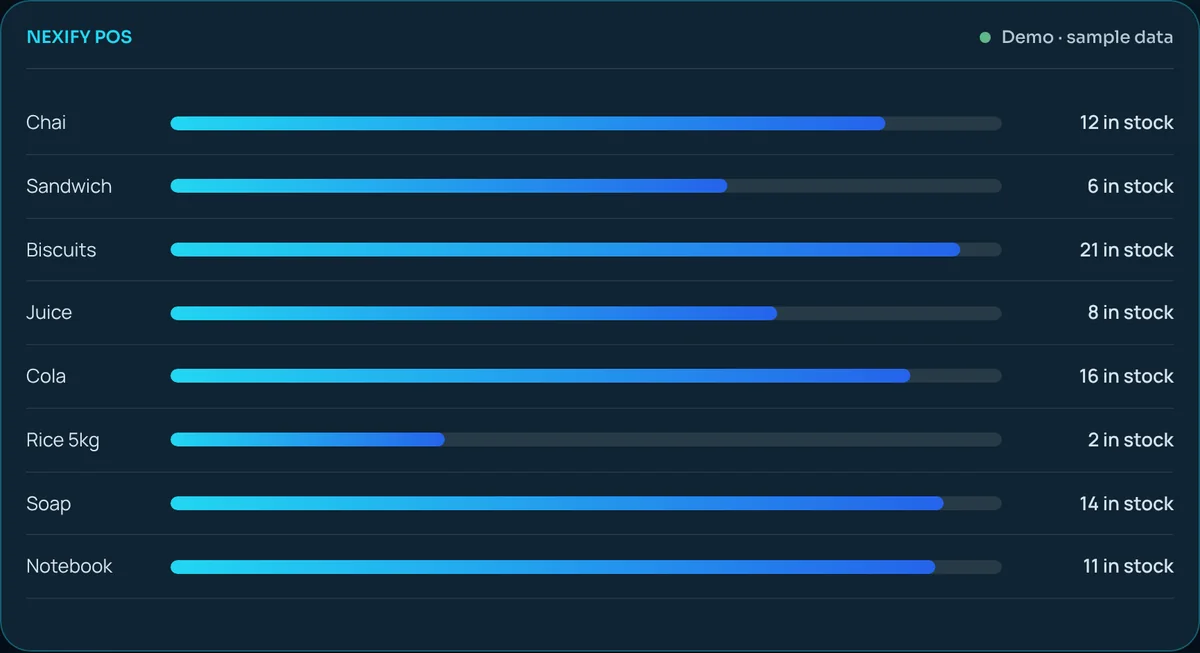
    Keep a record of the items you stock and watch quantities change as you sell.

    • An item list with quantities
    • Stock that follows your sales
    Nexify POS inventory screen from the web demo, sample data

    Nexify POS web demo, sample data

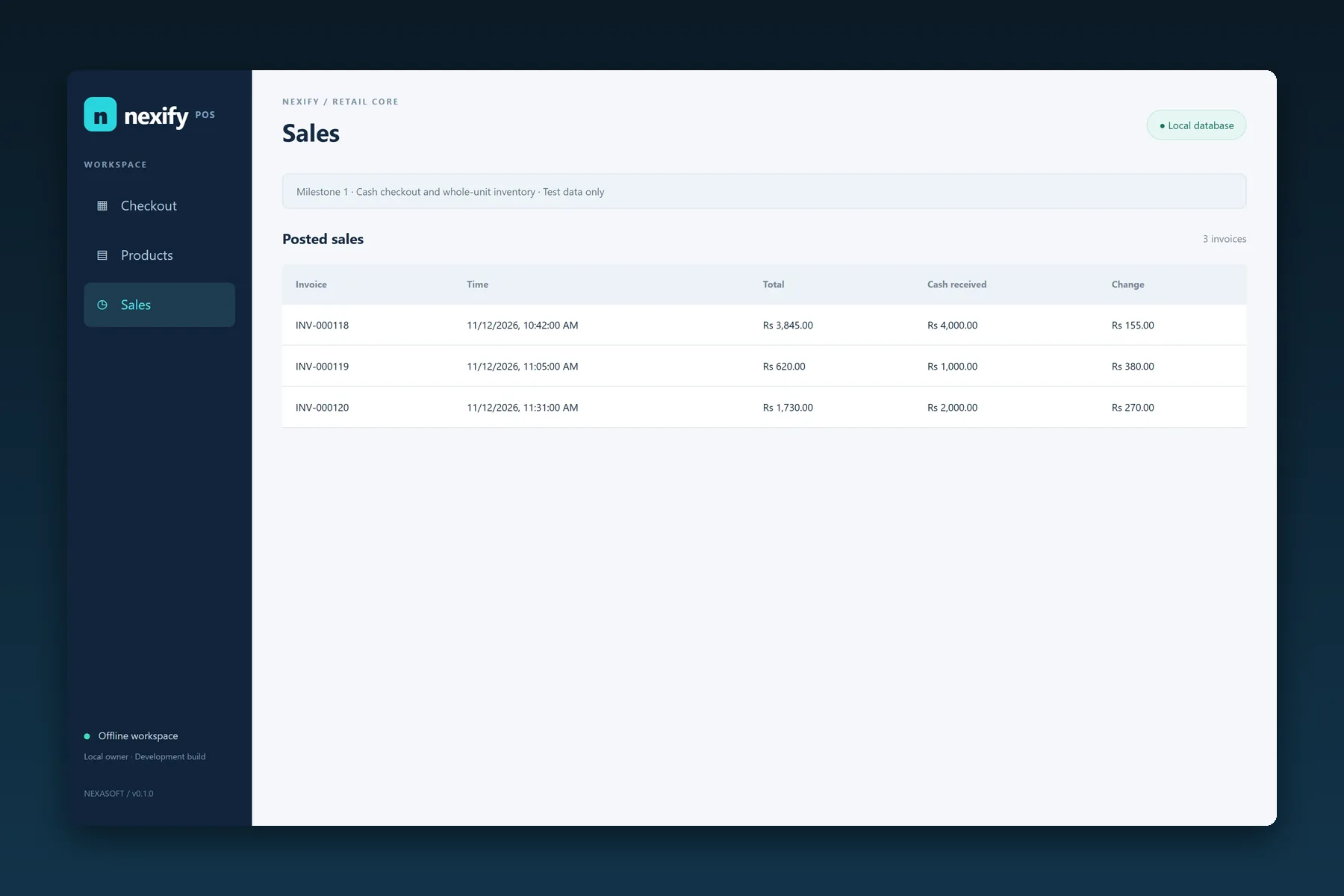
    Sales history

    Every completed sale is saved with its total and the cash received, so you can look back at what you sold; decisions rest on records instead of memory.

    • Every sale with its time, total and cash received
    • A list to check against the cash drawer
    Nexify POS Offline sales list: invoice, time, total, cash received and change

    Nexify POS Offline, milestone 1 development build, sample data

    Who it is for

    Businesses that sell items and track stock

    Selling something else? Tell us about your business and we will say whether it fits.

    Benefits

    Why owners move off notebooks and spreadsheets

    Fewer handwritten records

    Less copying, fewer slips, less time spent adding things up.

    Sales and stock together

    What you sell and what you hold stay in one place.

    A clearer picture of the day

    A list of every sale to check against the cash drawer.

    Built by the people who support it

    You deal with the team that builds and supports your system.

    Product or custom

    Know what is included, and what is scoped

    Included in the core product

    • Billing
    • Stock
    • Sales history

    Scoped as custom work

    • Customer credit records
    • More than one location
    • Connections to other systems
    • Anything specific to your trade
    Plain answersWe tell you plainly which side your requirement falls on. We do not promise features we have not confirmed with you.
    Getting started

    From demo to a working counter

    1. 01

      Demo

      See it with your kind of business in mind.

    2. 02

      Fit check

      We confirm what the core product covers for you.

    3. 03

      Setup

      We set the system up for your shop.

    4. 04

      Handover

      We show your staff how to use it.

    5. 05

      Support

      We stay available after go-live.

    Request a demo

    See Nexify POS Offline with your business in mind

    Tell us what you sell. We will arrange a demo and tell you plainly whether the core product fits.

    You will review and send the full request on the next page.

    Your details carry over to the next page in this browser tab only. They are never added to the web address.

    Pricing

    Two editions, priced in rupees.

    Each edition lists its price and its yearly renewal separately. Ask us what the renewal includes for your setup.

    Desktop · works without internet

    Nexify POS Offline

    For a shop or branch whose counter has to keep selling when the connection drops.

    PricePKR35,000per single branch
    Yearly renewalPKR 10,000
    • Billing at the counter, without internet
    • Stock that updates with every sale
    • Sales history for every sale
    • Runs on a desktop computer at your counter
    • Covers one branch

    Available · demo on request

    Get Nexify POS Offline
    Browser edition

    Nexify POS Online

    For businesses that prefer to run their point of sale in a web browser.

    PricePKR50,000per year
    Yearly renewalPKR 10,000
    • Runs in a web browser
    • The same core workflow: billing, stock and sales history
    • Needs an internet connection

    Ask about availability

    Ask for an Online quote
    What each edition includes
    FeatureNexify POS OfflineNexify POS Online
    Runs asDesktop applicationWeb browser
    Works without internetYesNo
    Billing at the counterYesYes
    Stock that follows each saleYesYes
    Sales historyYesYes
    BranchesOne branchTo be confirmed
    PricePKR 35,000PKR 50,000
    Yearly renewalPKR 10,000PKR 10,000
    StatusAvailable · demo on requestAsk about availability
    FAQ

    Common questions

    What does Nexify POS cover?

    Billing, stock and sales history. Request a demo to see the screens and options.

    Which businesses is it for?

    Shops, marts, cafés and pharmacies that sell items and track stock. Tell us about your business and we will say whether it fits.

    Does it work without internet?

    Yes. Nexify POS Offline is a desktop application, so billing, stock and sales history keep working without a connection. Nexify POS Online is the browser-based edition.

    Does it support several locations, integrations or other advanced needs?

    Tell us what you need. We will say plainly whether the core product covers it or whether it should be scoped as custom work. We do not promise features we have not confirmed with you.

    How is pricing decided?

    After a demo we prepare a private proposal. Pricing is not published.

    Can I see it before deciding?

    Yes. Request a demo, or try the interactive demo on this page. It uses sample data.

    See Nexify POS in action

    Request a demo and we will show you how it fits.